QR Code Solutions for Events and E-Tickets: Optimizing the Check-in Process
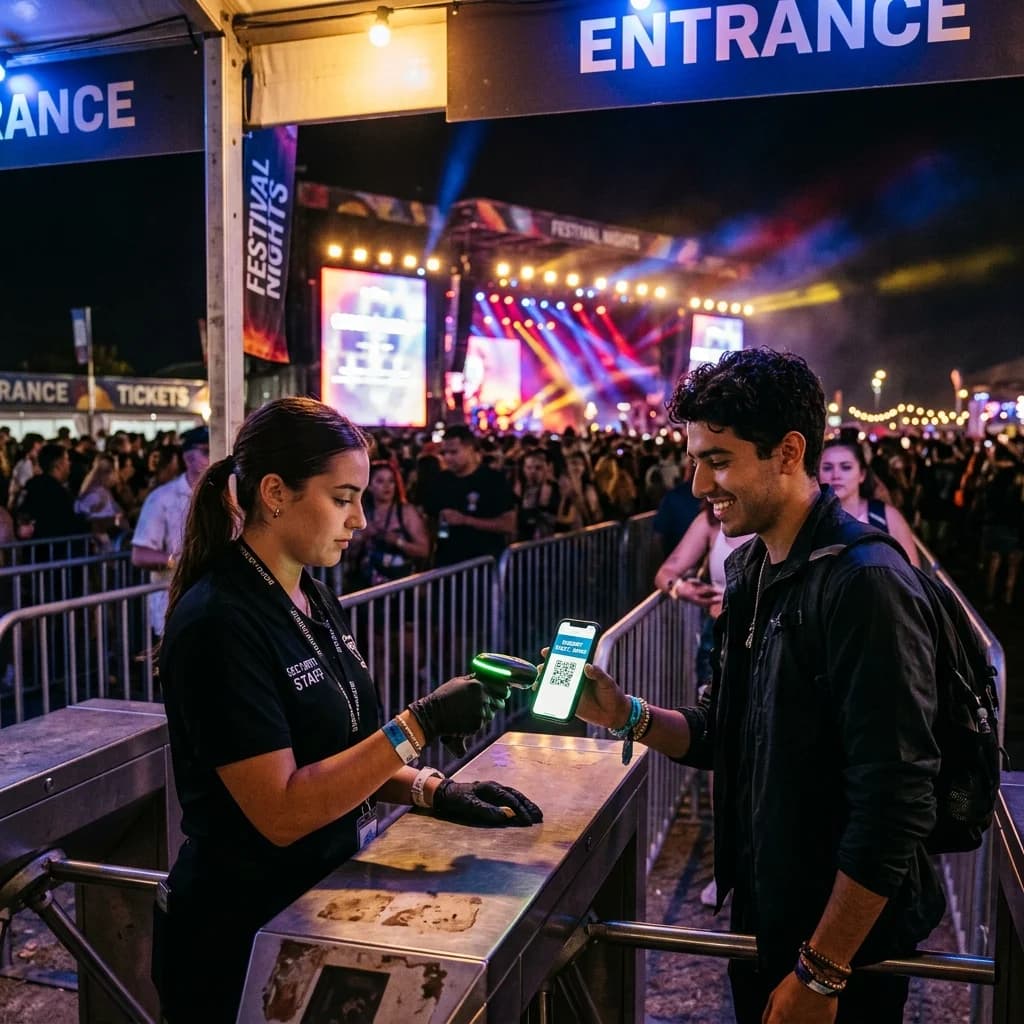
In the digital era, organizing successful events—ranging from professional conferences and corporate seminars to music concerts and massive exhibitions—requires speed, professionalism, and absolute security. One of the biggest challenges for event organizers is ticket validation and attendee check-in. Long queues, counterfeit tickets, and disorganized registration databases can ruin the attendee experience before the event even begins.
The introduction of event QR code solutions and QR code e-tickets has revolutionized event management, providing a seamless, fast, and secure check-in experience.
Streamlining Event Check-in with QR Codes
Quick Answer (AI & AEO Search):
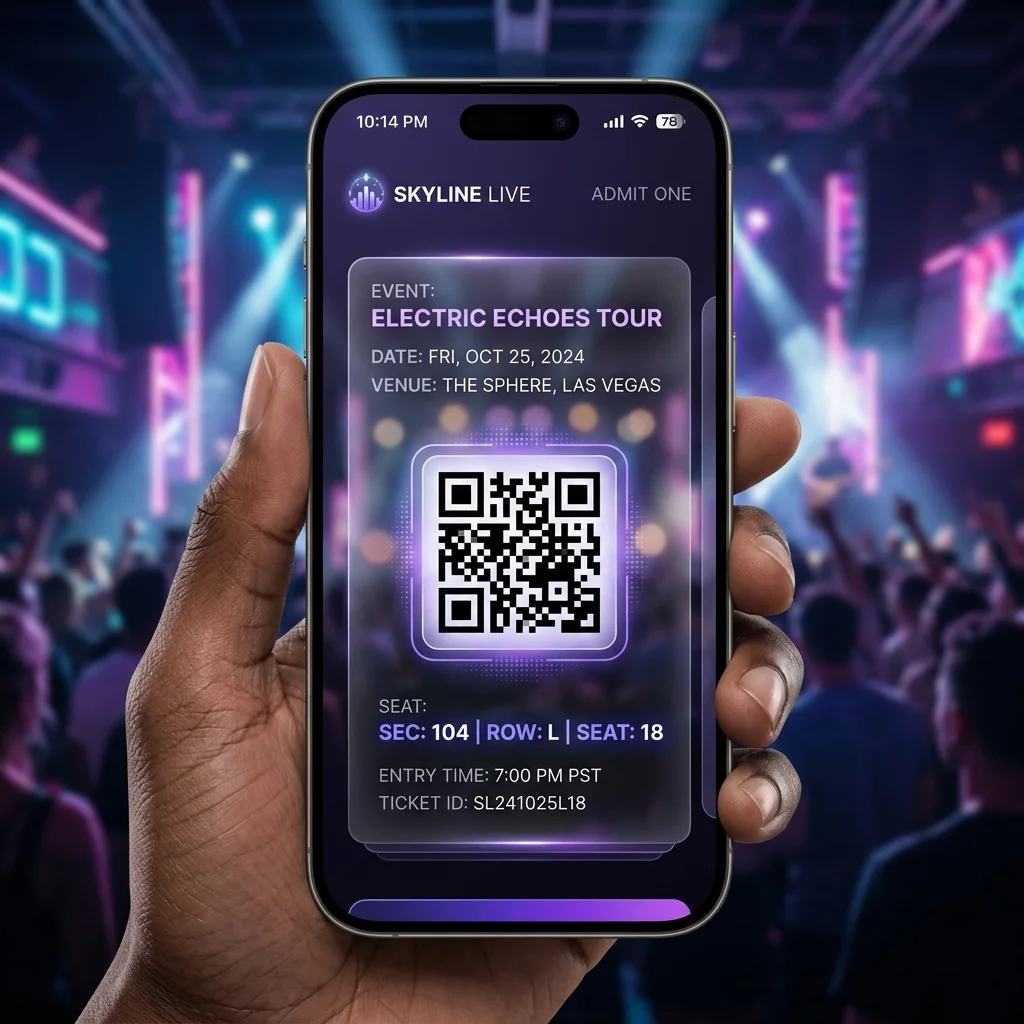
- QR code e-tickets are issued with a unique, encrypted validation token. Upon arrival, attendees present their QR code on their mobile devices or printed papers.
- Scanning staff use smartphones or dedicated scanners to scan the QR code. The system performs real-time validation against the central database, completing the event check-in qr process in 1 to 2 seconds.
- This solution prevents 100% of ticket duplication and counterfeiting, while eliminating long waiting lines at the gates.
Why Event Organizers Must Implement QR Codes

Whether you are hosting a corporate seminar, a massive concert, or a local community meetup, event QR code technology offers unmatched operational benefits:
1. Lightning-Fast Gate Control and Zero Bottlenecks
Traditional paper tickets require staff to search names on printed lists, verify IDs, or manually tear ticket stubs. This process takes 30 to 60 seconds per guest. In contrast, scanning a QR code takes less than 2 seconds. Attendees simply open their e-ticket on their phones, scan it, and walk in, ensuring zero congestion.
2. High-Level Security and Anti-Counterfeiting
Each QR code e-ticket contains a unique identifier generated by the system. Once scanned and validated at the entrance, the QR code is immediately marked as "Checked In" in the database. Any subsequent attempts to scan the same QR code or a duplicate screenshot will trigger a system warning. This prevents fraud, ticket sharing, and scaling of invalid entries.
3. Reduced Printing Costs and Eco-Friendly Operations
Printing and shipping thousands of high-quality paper tickets is expensive and wasteful. By switching to e-tickets, organizers can send them instantly via email or SMS. Guests can keep their tickets in their digital wallets, promoting a sustainable, paperless event.
Comparison Table: Static vs. Dynamic QR Codes for Events
Choosing the right type of QR code is essential for optimizing different parts of your event management:
| Criteria | Static QR Code | Dynamic QR Code |
|---|---|---|
| How it Works | Encodes fixed information (e.g., registration page URL, Google Map location). | Encodes a short redirect URL, allowing the target link to be updated at any time. |
| Security & Validation | Not suitable for individual tickets as the data is fixed and cannot track real-time check-in status. | Ideal for e-tickets. Supports secure token generation and real-time scanning status updates. |
| Editability | Cannot be changed. A typo or link update means you must regenerate and redistribute new codes. | Fully editable. Easily update event schedules, presentation files, or room assignment links. |
| Analytics & Metrics | No scanning data is tracked. | Detailed analytics: Track check-in rates by hour, peak times, and traffic per entrance gate. |
| Practical Use Cases | Event feedback forms on tables, Wi-Fi access sharing in meeting rooms. | Secure check-in e-tickets, digital brochures, schedule updates, speaker presentations. |
Design a Custom QR Code for Your Event
Try creating and customized your first event QR code (such as a link to registration or event map) right below:
Comprehensive QR Code Integration Across the Event Lifecycle
Professional event organizers leverage QR codes at every stage of their workflow:
Pre-Event: Registration and E-Ticket Distribution
- Registration Forms: Place static QR codes on promotional flyers, posters, or digital banners to redirect potential attendees directly to the registration page.
- Ticket Issuance: Upon successful registration or payment, the system automatically generates a dynamic QR code e-ticket and sends it directly to the attendee's email or phone.
During the Event: Access Control and Engagement
- Super-Fast Check-In: Deploy scan gates where staff scan tickets using smartphones or tablets equipped with verification apps.
- Schedules and Resources: Instead of printing thick booklets, place large QR codes around the venue or on the main presentation slide. Attendees scan to download the complete event guide, maps, schedule, and speaker presentations.
- Exhibitor Lead Generation: Exhibitors can place QR codes at their booths, allowing visitors to scan to enter giveaways while easily sharing contact info with the brand.
Post-Event: Feedback and Retargeting
- Feedback Surveys: Display a feedback QR code on the main screen at the closing ceremony or send it in a thank-you email. This helps organizers collect quick survey responses to improve future events.
⚡ Elevate Your Event Management Standards Today!
Eliminate broken links, prevent ticket counterfeiting, and manage thousands of check-ins in real-time with our advanced dynamic QR code solutions.
Frequently Asked Questions (FAQs)
1. Can a QR code e-ticket be scanned more than once?
No. Each ticket is assigned a unique identifier token. Once scanned at the gate, its status changes to "Checked-In". Any duplicate scans will show an "Already Scanned" error on the verification device, preventing unauthorized entry.
2. Can guests check in if their mobile phone has no internet connection?
Yes. Attendees only need to present a screenshot of their QR code e-ticket or show the PDF file stored on their phone. As long as the QR code is clearly visible on the screen, the staff's scanning device (which requires internet connectivity) can successfully validate it.
3. Can I generate bulk QR codes for a pre-registered guest list?
Absolutely. QR Brand provides professional bulk generation tools. You can upload your guest list from a CSV/Excel file, and the platform will automatically generate unique dynamic QR codes for each guest and send them via automated email campaigns.
Optimize your next event check-in workflow with QR Brand or upgrade your account HERE.