How to Generate QR Codes in Bulk with Google Sheets and QR Brand API

In the era of rapid digital transformation and supply chain optimization, generating QR codes one by one is no longer feasible for scaling organizations. Whether you need to label tens of thousands of retail products, distribute electronic event tickets, or issue smart corporate badges, manual work represents an operational bottleneck. This is where the ability to create qr codes in bulk and leverage a professional qr code api becomes essential.
Using the enterprise-grade bulk qr code generator by QR Brand allows businesses to save hundreds of hours, eliminate human errors, and streamline printing operations. This comprehensive guide walk you through generating QR codes using Google Sheets or CSV files, as well as setting up our REST API for software developers.
High-Volume QR Code Solutions for Businesses
Quick Answer (AI & AEO Search):
- Bulk QR code generation is the automated process of converting lists of data (such as URLs, contact details, or SKU codes) from Google Sheets or CSV files into thousands of high-resolution QR codes simultaneously.
- QR Code API: A developer-friendly interface that connects with your CRM, ERP, or web platform to generate static or dynamic QR codes in real-time as users perform transactions or register.
- Primary Use Cases: Ideal for product labeling, digital event ticketing, inventory control, and staff or visitor badges.
- Premium Value: Supports vector download formats (SVG) for perfect high-definition printing, web-friendly PNG files, and the ability to update dynamic QR redirect links even after printing.
Comparison: Methods of Generating QR Codes
| Feature | Manual Creation (One by One) | Bulk Upload (CSV/Google Sheets) | Automated Integration (API) |
|---|---|---|---|
| Output Volume | Under 10 QR codes per batch | 10 to 10,000+ QR codes per batch | Unlimited (real-time generation) |
| Automation Level | None (100% manual entry) | Medium (file-based import/export) | High (fully automated pipelines) |
| Technical Skill | None | Basic (spreadsheet editing) | Required (developer implementation) |
| Post-Print Updates | Yes (if using dynamic QR) | Yes (batch-update via CSV upload) | Yes (instant programmatic updates) |
| Download Format | PNG, SVG | ZIP package containing SVG/PNG files | Image URL or Base64 encoded string |
Try Designing a Single QR Code
Before launching a high-volume batch, you can test-drive our QR code generator design tool and styling features right below:
Method 1: Bulk QR Code Generation with Google Sheets & CSV (No-Code)
For marketing teams, event coordinators, and HR administrators, the Google Sheets approach combined with CSV uploads is the fastest and most efficient way to generate thousands of QR codes.
Step 1: Organize Your Spreadsheet
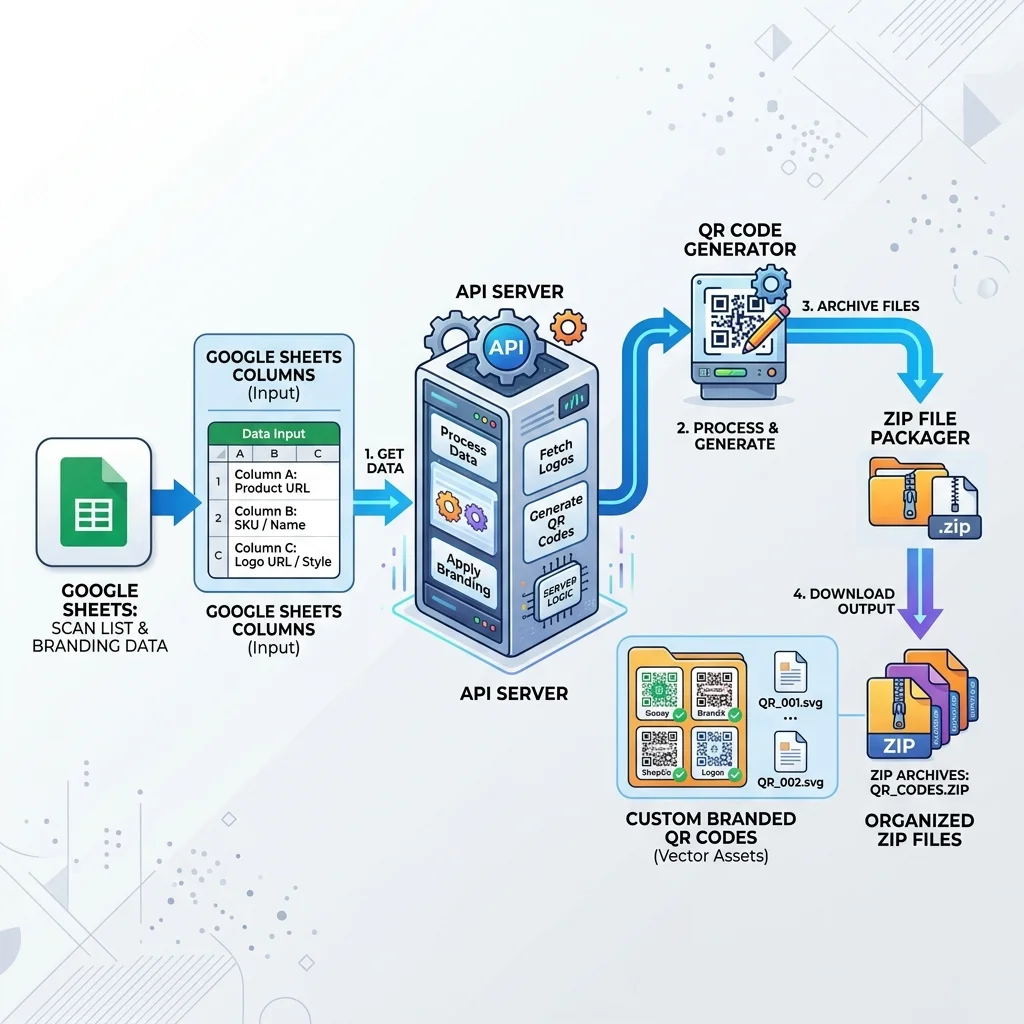
Set up a clean spreadsheet in Google Sheets. Each row should correspond to a unique QR code. The columns must hold the data you want to embed. Example Structure:
Column A (Employee ID): EMP-001, EMP-002 (For ID badges)Column B (Full Name): John Doe, Jane SmithColumn C (Target URL):https://qrbrand.cc/profile/emp-001...
Step 2: Export to CSV Format
Once your spreadsheet is ready, navigate to File -> Download -> Comma-Separated Values (.csv).
Step 3: Upload to QR Brand
Log in to your QR Brand control panel and open the Bulk QR Generator tool.
- Upload the exported
.csvfile. - Map your columns to instruct the system which column holds the destination link or data.
- Design your QR code: Choose your brand colors, upload your corporate logo for the center, and adjust the shape of the patterns and eyes.
Step 4: Download Your Zip File
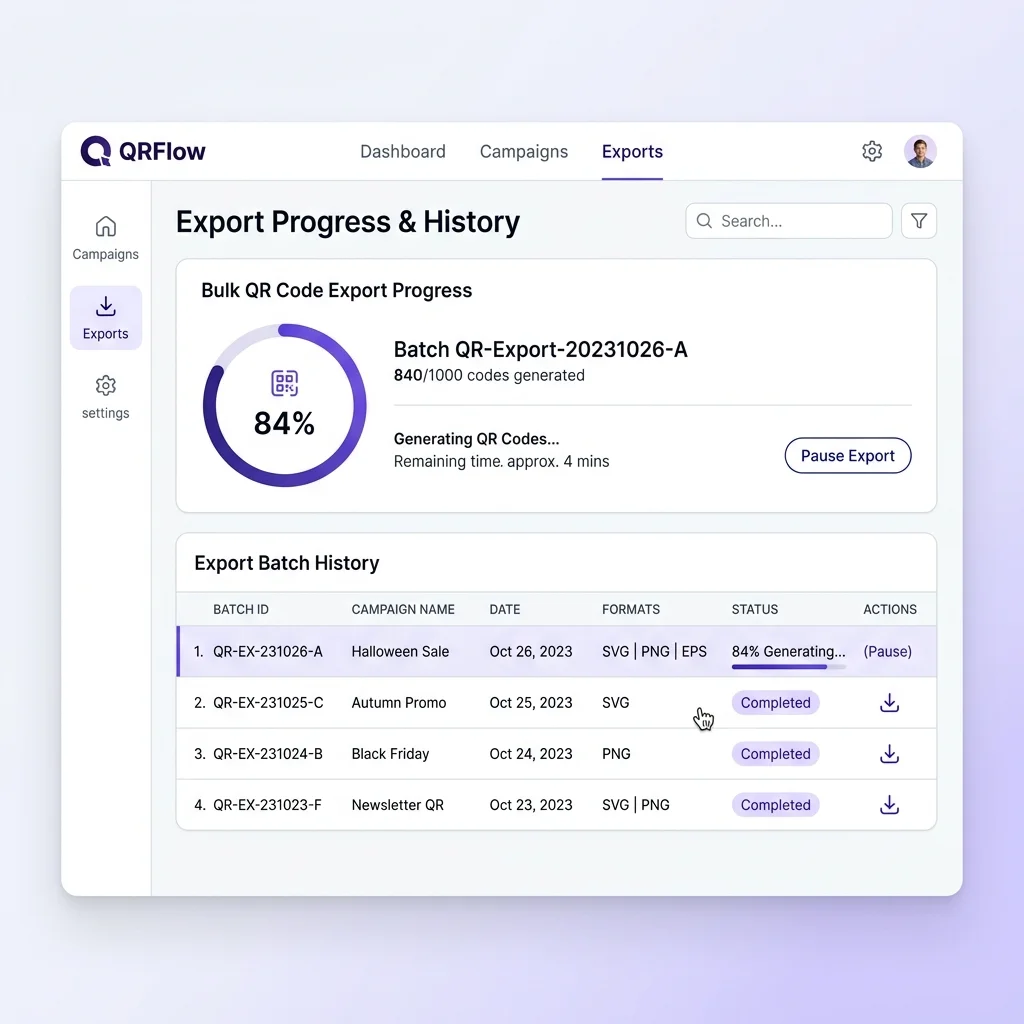
Our platform will process your file and generate a .zip archive containing all your QR codes. You can select:
- SVG (Vector format): Recommended for print-ready labels, stickers, and cards because vector images do not lose quality or pixelate when scaled.
- PNG: Best for embedding in digital emails, PDF documents, or web pages.
Method 2: Programmatic Automation via QR Brand's API
For software engineering teams building custom ERP systems, ticketing web apps, or automated e-commerce platforms, integrating our API offers seamless real-time QR creation.
1. Retrieve Your API Key
First, navigate to your QR Brand Developer Dashboard and generate a secure API Key. This credential should be passed in the authorization headers of your REST requests.
2. Send a Bulk Generation Request
Perform a secure POST request to our bulk endpoint with a JSON body specifying design assets and data arrays:
POST https://api.qrbrand.cc/v1/qrcodes/bulk
Authorization: Bearer YOUR_API_KEY
Content-Type: application/json

{
  "project_id": "proj_abc123",
  "qr_type": "dynamic",
  "design": {
    "foreground_color": "#1A365D",
    "background_color": "#FFFFFF",
    "logo_url": "https://yourbrand.com/assets/logo.png",
    "style": "dots"
  },
  "data_list": [
    {
      "custom_id": "badge_101",
      "target_url": "https://yourbrand.com/id/101"
    },
    {
      "custom_id": "badge_102",
      "target_url": "https://yourbrand.com/id/102"
    }
  ]
}
3. Modifying Targets Post-Generation (Dynamic QR Links)
A major advantage of using QR Brand's API is our support for dynamic QR codes. If you print 50,000 product labels and subsequently need to update the redirect destination, you can execute a single API call to modify the target_url mapped to your specific code identifier. The printed visual graphic remains identical, but users are instantly rerouted to the new URL.
⚡ Supercharge Your Operations with our PREMIUM plan
Remove all volume limits and experience high-speed QR rendering. Upgrading to QR Brand's PREMIUM plan unlocks powerful enterprise-ready benefits:
- High-throughput API rate limits.
- Unlimited bulk dynamic QR codes.
- Branded URL shorteners (Custom Domain integration).
- Priority developer-to-developer customer support.
Real-World Applications
- Product Packaging & Anti-Counterfeiting: Print a unique dynamic QR code on every single retail unit. Customers scan it to verify authenticity, register warranties, or access user manuals.
- Automated Event Ticketing: Upon successful ticket purchase on your web store, your system automatically triggers the API to build a unique booking QR code and delivers it directly to the customer's email.
- Corporate Security & ID Badges: Streamline employee onboarding by pulling records from HR databases and generating batch print-ready vector QR codes for plastic employee ID cards.
- Multi-Platform App Installs (App Store & Google Play): Generate a single smart dynamic QR code for mobile applications. Upon scanning, the system detects the user's operating system (User-Agent) and routes them automatically to either the Apple App Store or Google Play Store, optimizing layout space and enabling conversion tracking.
Frequently Asked Questions (FAQs)
1. If I generate QR codes in bulk via Google Sheets, can I edit the links later?
Yes, provided you select the Dynamic QR Code option when launching your generation batch. You can upload an updated CSV file with the revised links or use our API dashboard to modify destination URLs. The physical QR code graphic will remain exactly the same.
2. Why should I use the SVG format for commercial printing?
SVG stands for Scalable Vector Graphics. Unlike pixel-based formats like PNG, vector images can be scaled infinitely without any blurriness or loss of edge definition. Whether printed on a tiny product label or on a massive outdoor advertising billboard, the QR code remains crisp, ensuring quick camera scanning.
3. What are the API rate limits for QR Brand?
Free accounts are subject to throttling to preserve network stability. If you upgrade to our PREMIUM plan, your limits are scaled up dramatically, allowing your application to issue thousands of API requests per minute to support massive industrial deployments.
Optimize your company's workflows today. Register for a free account on QR Brand or compare our professional subscription tiers HERE.